 heic-to.app
How to convert HEIC to PDF
- Add your HEIC file — drag & drop it onto the widget or press “Choose a file”.
- Check the preview, pick PDF as the output format, and press “Convert to PDF”.
- Download the converted PDF file — it saves straight to your device.
Best for documents, printing and sending
PDF is the format people expect for anything document-shaped: a scanned receipt, a signed form, a photo of a whiteboard, or an ID you need to email. Turning a HEIC photo into a PDF makes it open the same way in any email client, printer dialog or document viewer, without looking like a random image attachment.
It's also the safer choice when a form or portal explicitly asks for "a PDF" rather than "a photo" — many upload forms reject image files outright but accept PDF without complaint, and PDFs generally preview correctly in browser tabs instead of prompting a download.
Printing is the other common reason to convert: printer software and copy-shop kiosks are built around PDF and page sizes, not photo formats, so a HEIC file often needs an extra "convert first" step that a PDF skips entirely.
For a photo you're sharing casually rather than printing or filing, JPG is usually a better fit — see also PNG if you need a lossless copy instead.
What to know about the PDF output
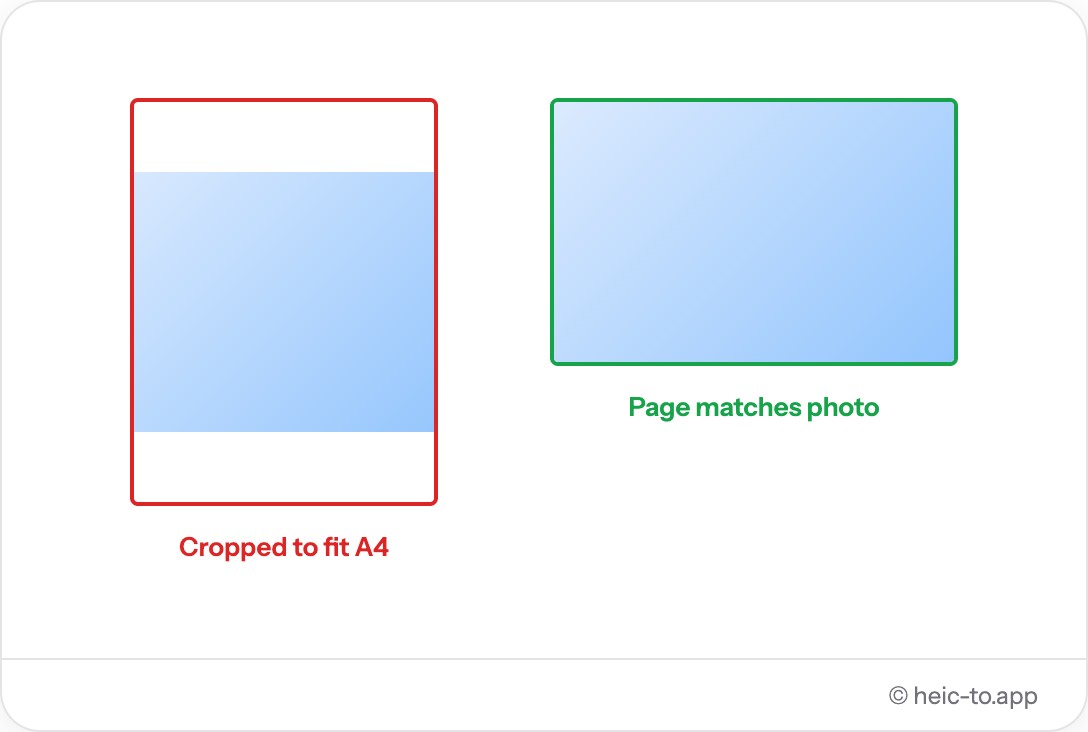
This converter creates one PDF per photo, sized to match the image's own aspect ratio (portrait or landscape), so nothing is cropped or stretched to fit a fixed page size. The image is embedded at high-quality JPEG compression, which keeps the file small enough to email while remaining sharp when printed.
That page-matches-photo approach is deliberate: a fixed A4 or Letter page would either leave awkward white borders around a phone photo or crop part of it to fill the frame, so matching the page to the image keeps the result looking the way the original photo did.
If the photo is still on your iPhone, our guide to converting iPhone photos to JPG covers camera settings and sharing shortcuts too.
Common documents people convert to PDF
A photographed receipt is one of the most frequent cases — expense reports and reimbursement portals routinely ask for "a PDF of your receipt," and a HEIC photo straight from an iPhone camera doesn't qualify until it's converted, even though the image itself is perfectly readable.
Signed paper forms photographed with a phone are another regular case: a rental agreement, a permission slip, a liability waiver — printed, signed by hand, then photographed rather than scanned, and expected back as a single PDF attachment rather than a photo.
Less obvious cases come up just as often — a photo of a whiteboard from a meeting that needs to go into a shared drive as a document rather than an image, or a photo of an ID or passport page requested by a form that explicitly says "upload a PDF," not "upload a photo."
PDF vs sending a photo directly — why it matters for forms and printing
The difference isn't really about the picture itself — a PDF and the photo inside it can look identical on screen — it's about what the receiving system is built to expect. Upload forms, applicant tracking systems and government portals are frequently coded to validate against a specific list of accepted extensions, and "image/jpeg" and "application/pdf" are treated as entirely different categories even when the underlying content is the same photo.
Printer software and copy-shop kiosks work the same way: their interface is built around opening a document and sending it to a page, not previewing an image file, so a JPG or HEIC dropped onto a public printing kiosk sometimes doesn't show up as an option at all, while a PDF opens directly into the print dialog.
One file at a time — what this means for multi-page documents
This converter turns a single photo into a single-page PDF — there's no way yet to combine several photos, like the front and back of an ID or a multi-page contract, into one multi-page file. For now, a document with several pages needs to be converted one photo at a time, producing one PDF per page, which can then be attached separately or combined using a separate PDF-merging tool if a single file is required. Multi-page support is a natural next step for this tool, but it isn't part of v1 — this page won't claim otherwise.
Frequently asked questions
Can I print the PDF after converting?
Yes. The PDF page is sized to match the photo's own aspect ratio, so it prints cleanly from any PDF viewer without stretching or cropping.
Does the PDF contain more than one photo?
Not currently — this tool converts one HEIC file into one single-page PDF at a time. Combining multiple photos into one PDF isn't supported yet.
What page size does the PDF use?
The page is sized to the photo itself, in portrait or landscape depending on the image's orientation, rather than forced onto a fixed page size like A4 or Letter.
Can I convert a HEIC scan or receipt to PDF for sending?
Yes — that's exactly the case PDF suits best. Drop the photo in above and the download will be a standard PDF any email client or portal accepts.
Do I need Adobe Reader to open the PDF?
No. The output is a standard PDF file that opens in any browser, in macOS Preview, or in any PDF reader on Windows, Android or iOS.
Can I combine multiple photos into one PDF?
Not yet — this tool converts one HEIC photo into one single-page PDF at a time. For a multi-page document, convert each photo separately and combine the resulting PDFs with a separate merging tool if needed.
Will the PDF work for an expense report or reimbursement form?
Yes — that's one of the most common uses. A photographed receipt converted to PDF satisfies forms that specifically ask for "a PDF" rather than a photo attachment.
Does converting to PDF reduce image quality?
The photo is embedded at high-quality JPEG compression inside the PDF, where any difference from the original is invisible in normal viewing or printing.